Introduction
Most people have heard of streaming services or subscription boxes, so you understand what they are and how they work. From phone plans to your favorite TV platform, many people subscribe to pay a regular fee (usually monthly or annually) to access some kind of content.
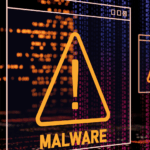
While these services are commonplace, there’s also another subscription model growing fast — and it’s one you definitely don’t want near your devices: Malware-as-a-Service (MaaS).
What is Malware-as-a-Service?
It sounds technical, but the idea is simple: cybercriminals can buy or rent malware online the same way you buy software or applications for your computer and digital tablet. That means that threat actors no longer need to know how to write code or hack systems themselves. Someone else builds the malware, packages it neatly, and sells access to it — often with customer support, dashboards, and step-by-step instructions just like the subscription services that you use every day.
Cybercriminals don’t meet in dark alleyways. MaaS is readily available on the Dark Web for any threat actor who can afford it.
How Do Threat Actors Buy These Readymade Packages?
That’s right! These underground dark marketplaces can sell:
- Ransomware “starter kits”
- Phishing page templates
- Credential stealers
- Remote-access tools
Just like your wireless printer or favorite gaming service, these kits can also include manuals, 24/7 tech support, and perks for long-term members.
It’s also becoming common for MaaS operators to move to mainstream messaging apps, including Discord. Some even advertise like small businesses; offering pricing tiers, discounts, and “premium support.”
So what exactly are they offering to fellow internet thieves?
What Does MaaS Actually Do to Infected Devices?
Malware kits contain different programs depending on their intended purpose, but many of them aim to steal your passwords. Credential-stealers can grab:
- Work logins
- Personal passwords
- Banking credentials
- Browser data that has been saved to autofill
- Multi-Factor Authentication codes
MaaS also commonly deploy keyloggers. They silently track keystrokes and transmit the data back to the threat actor, who can now read information like your email content, passwords, work chats, and any sensitive PII that you type in.
Many MaaS packages also contain ransomware.
Other Common MaaS Payloads
Once malware infects your device, it releases the “payload,” which is the software that actually carries out harmful actions. These are some common examples.
- Ransomware locks your files and demands payment to unlock them. This can impact your device, company systems and any shared drives. Just one infected laptop can take down an organization.
- Remote Access Trojans (RATs) take over your device. This lets attackers watch your screen, turn on your webcam without your knowledge, install further malware, and even move around the company network.
- Botnets recruit your device into joining a horde of infected systems. They’re essentially using your device for criminal activity, helping them send spam, crypto-mine, and launch attacks against other organizations. Often, people don’t even know their device is being used.
How Does MaaS Infect Devices in the First Place?
For most people, infection starts with one false moment of trust. That can mean:
- Clicking a phishing email
- Opening a fake attachment (e.g. “Invoice,” “Updated Policy,” “Voicemail”)
- Downloading a “free” app or browser extension
- Connecting to unsafe Wi-Fi
- Plugging in an unknown USB
- Scanning a tampered QR code
- Updating software from an unofficial site
Then the malware starts to quietly do the rest.
Keeping Your Mobile Device Safe
MaaS may be getting easier for attackers, but you can still stay safe by adopting a few smart habits:
- Slow down before you click. Phishing is still the most common method of infection method. When a message feels urgent, emotional, or unexpected — that’s exactly when you take a pause.
- Only download software from official sources. Don’t use any “free cracked versions,” mystery browser extensions, or applications from random websites.
- Keep your device updated. Updates patch the very vulnerabilities that many malwares rely on.
- Use strong, unique passwords and MFA. That way even if one service gets compromised, attackers can’t log into any others.
- Avoid public, unsecured Wi-Fi. If you must connect, don’t log into any sensitive accounts.
- Don’t plug in unknown USBs. If you find a USB by accident, you should treat it as a threat and turn it in to IT.
- Report suspicious activity early. If you notice strange pop-ups, slow performance, or weird emails sent from your account, then reporting early can stop an infection from spreading.
Conclusion
Malware-as-a-Service has lowered the barrier for cybercrime, but it hasn’t changed one core truth: Attackers depend on our habits. Therefore cybersecurity depends on awareness.
You don’t need to be a cybersecurity expert to stay safe. Just remain cautious and willing to slow down before tapping, scanning, or clicking. Doing so will keep your devices safer every day.
The post Malware-as-a-Service: The Subscription Nobody Wants appeared first on Cybersafe.