
Introduction
Working from “anywhere” has become the new normal. Whether you log in from a home office, coworking space, airport or coffee shop, approximately 60% of workers. While flexibility boosts productivity, it also introduces a unique challenge: Keeping company data secure outside the safety of the corporate network.
The truth is, cybersecurity doesn’t stop when you log off at headquarters. Whether you’re responding to an email from your couch or joining a meeting on public Wi-Fi, your digital habits play a big role in protecting both your organization and yourself.
So what are the real risks of working on the go?
1. Public Wi-Fi Isn’t as Friendly as It Looks
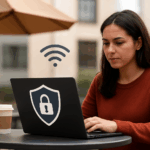
That free coffee shop connection might be convenient, but it’s also one of the easiest ways for attackers to spy on your data. Hackers can intercept traffic or even create fake “lookalike” Wi-Fi networks (like CaféGuestFree instead of CafeGuest), and then collect all of your online data while connected.
Pro tip: Always use a company-approved VPN when connecting outside the office, and avoid accessing sensitive systems on unsecured networks.
2. Personal Devices, Professional Problems
Many employees blend personal and work activities on the same device, such as checking your email on a tablet or editing files from a home laptop. Without strong controls, that convenience can open doors to malware or unauthorized access.
Pro tip: Keep personal and work accounts separate. Follow your company’s mobile device management policies, and never store sensitive data outside approved apps or drives.
3. Shoulder Surfers and Accidental Oversharing
It’s easy to forget that a nearby traveler — or even a friend — could glimpse your screen during a video call or while typing a password. If you’re discussing or working on confidential data in a public setting, then you have to be extra careful about who can overhear (or see).
Pro tip: Use a privacy screen, stay aware of your surroundings, and lock your screen anytime you step away from your device.
A Real-World Reminder
In 2024, cybersecurity researchers uncovered a worrying pattern: employees across multiple organizations were unintentionally exposing sensitive documents online. Internal reports, client data, and even security assessments were being uploaded to public file-sharing sites and indexed by search engines, because users wanted “easier access” while working remotely or sharing files with their colleagues.
The exposure wasn’t the result of a sophisticated hack; it was the result of simple, unthinking routine between coworkers. A few clicks for convenience led to thousands of files being visible to anyone who knew where to look.
The lesson? Most breaches don’t start with hackers — they start with habits gone wrong.
Turning Awareness into Action
So how can you keep confidential data safe while navigating hybrid work conditions?
- Use strong, unique passwords for every device and platform.
- Turn on MFA whenever possible, and prioritize biometric authentication.
- Keep software and apps updated to close security gaps before attackers can exploit them.
- Double-check links and attachments even when they appear to come from colleagues.
- Stay alert on video calls — visible background documents and thoughtless screen-sharing can unintentionally expose information.
- Ask IT before installing any new app, extension, or cloud tool.
Whether you’re working from a remote cabin or checking emails on the train, remember: You carry the company’s security with you.
Conclusion
Small, consistent actions are what keep data safe beyond office walls. Be careful when you log into public WiFi, lock your devices when you leave the area even for a minute, and question unexpected attachments and links. These simple habits really do improve your day-to-day cyber hygiene. Good security awareness reduces your risk of a breach by up to 70%!
In today’s hybrid work culture, cybersecurity isn’t just about firewalls and policies.
It’s about people, and the choices they make wherever they work.
The post Staying Secure Beyond the Office Walls appeared first on Cybersafe.